
These settings allow you to fine-tune the robot's driving and seeding behavior. Understanding what each option controls will help you choose the setup that best fits your field layout, crop requirements, and operational preferences.
Choose the First Pass Direction
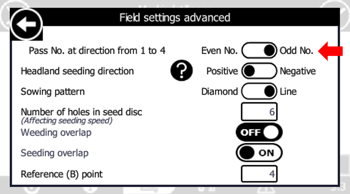
Pass No. at Direction From 1 To (Reference Corner Point)
This setting determines the direction of the robot's first working pass relative to Corner Point 1.
ODD (Default)
The robot starts its first pass away from Corner Point 1.
EVEN
The robot starts its first pass toward Corner Point 1.
Example
In a field where:
- Four corner points are defined.
- The reference line runs from CP1 to CP2.
- The robot starts at CP1.
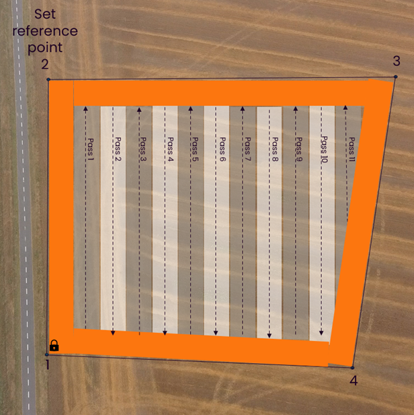
ODD
- The first pass moves away from CP1.
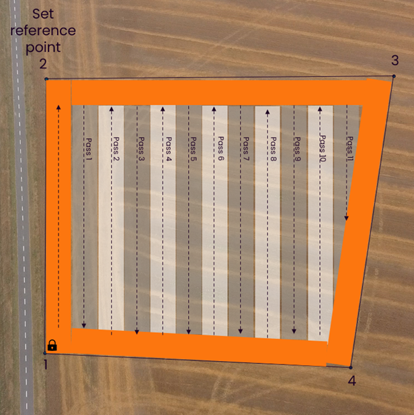
EVEN
- The robot travels along the headland to CP2 first.
- It then turns and begins the first pass back toward CP1.
|
ODD |
EVEN |
 |
 |
Set the Headland Seeding Direction
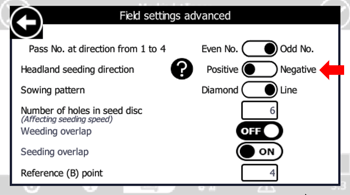
Headland Seeding Direction
Choose how the robot moves between corner points while operating in the headland area.
Positive
The robot moves to the next corner point in ascending order.
Example:
- CP1 → CP2 → CP3 → CP4
Negative
The robot moves to the next corner point in descending order.
Example:
- CP4 → CP3 → CP2 → CP1
|
POSITIVE |
NEGATIVE |
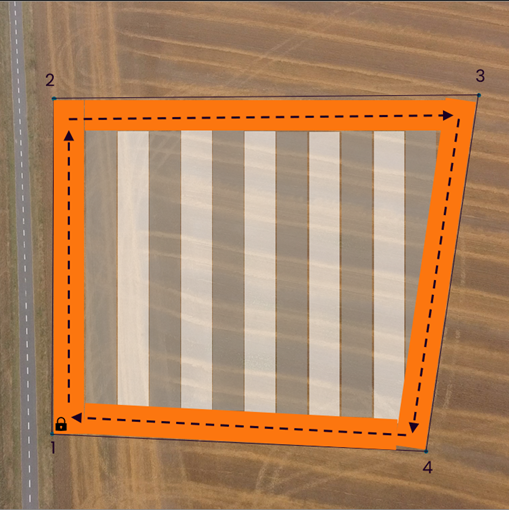 |
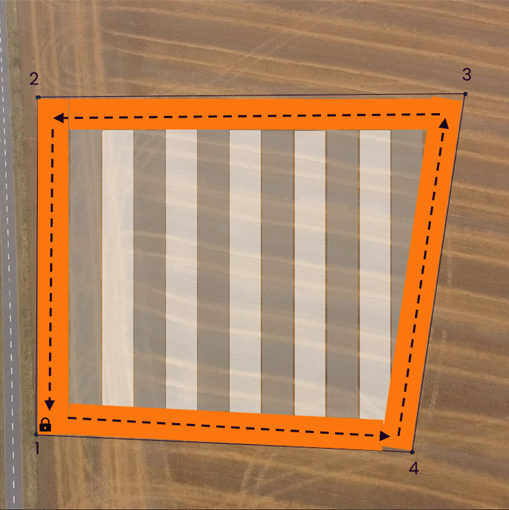 |
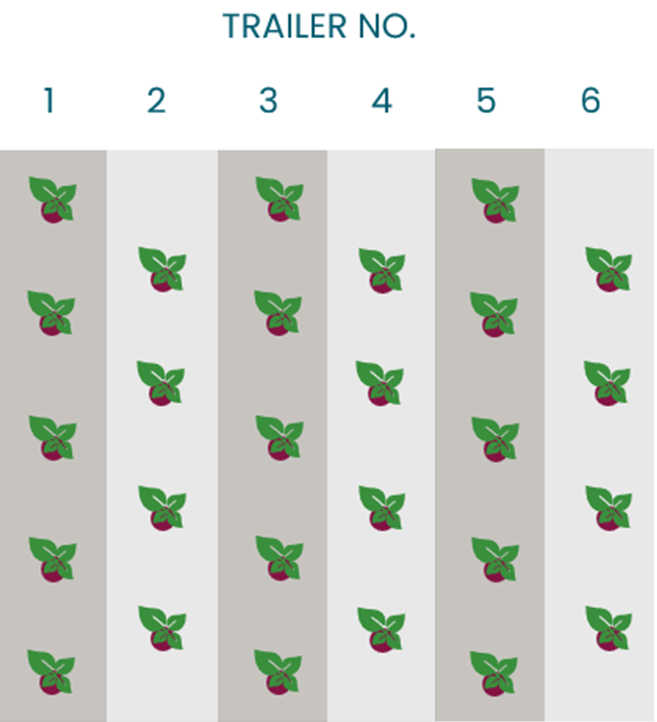
Sowing Pattern
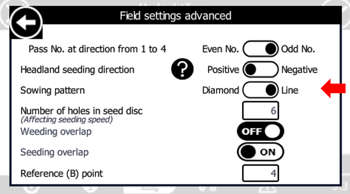
Select the sowing pattern that best matches your crop requirements.
Available options:
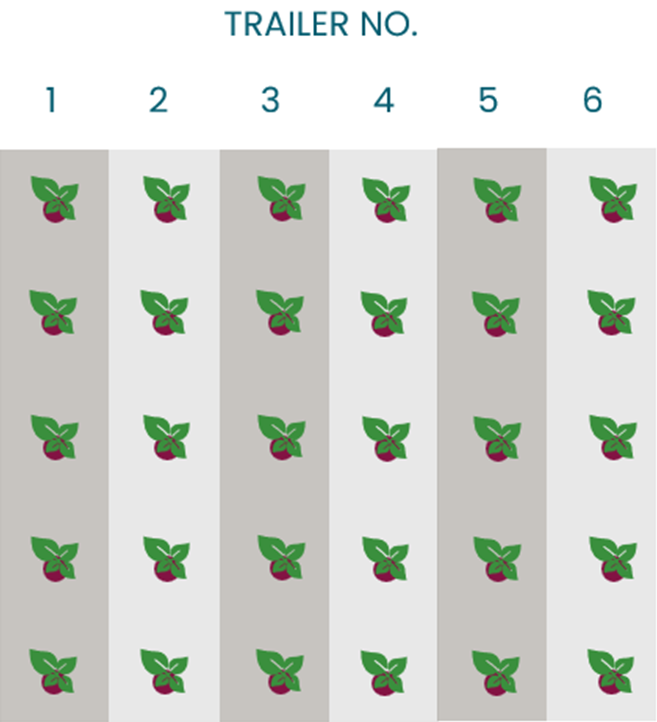
- Diamond Pattern
- Line Pattern
Different crops may benefit from different planting geometries, depending on spacing requirements and growing conditions.
|
LINE |
DIAMOND |
 |
 |
Number of holes in the disc
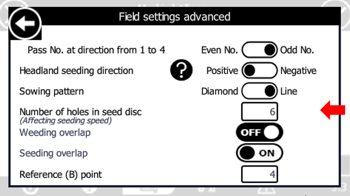
Enter the exact number of holes on the seed disc currently installed on the robot.
This setting is important because it directly affects seed spacing and placement accuracy.
Tip: Always verify that the number entered matches the installed seed disc before starting a seeding operation.
For more information, see Seed Discs and Distance Rings Identification
Seeding and weeding overlap
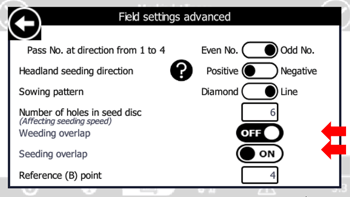
The overlap setting determines how the robot manages coverage between passes during seeding and weeding operations.
Correct overlap settings help:
- Reduce missed areas
- Minimize double coverage
- Improve overall field consistency
For a detailed explanation, see Seeding and Weeding Overlap
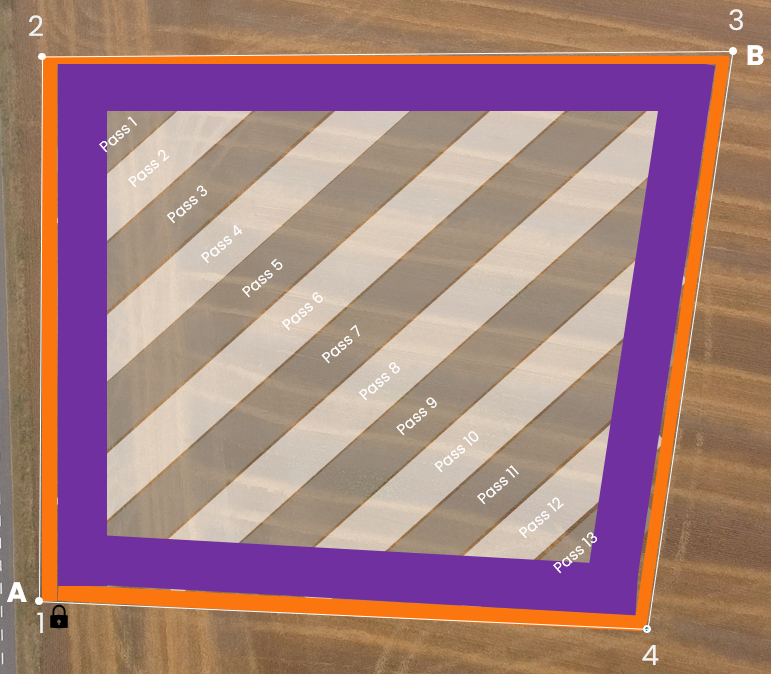
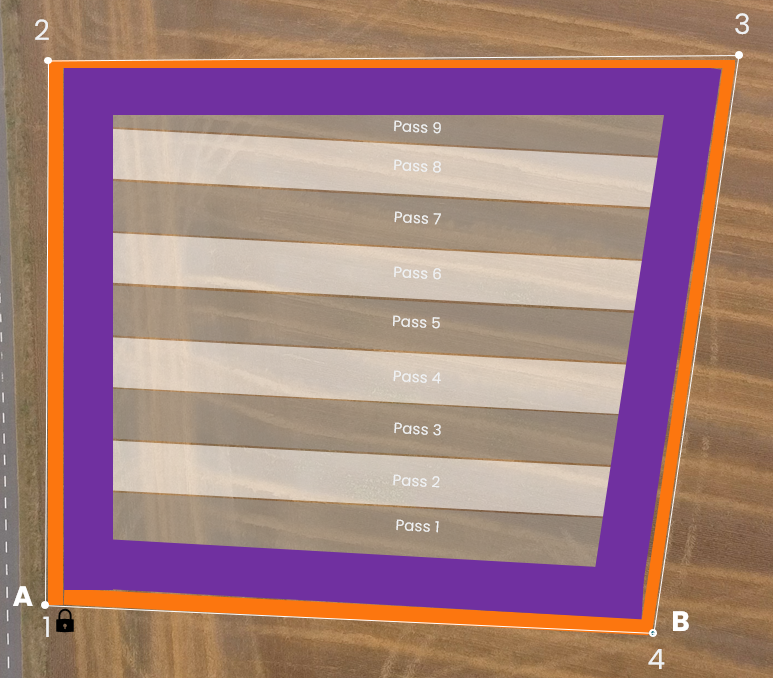
Choose the Reference Point (AB Line)
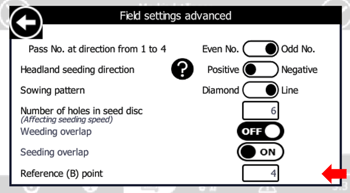
When creating a field with the FD20, the robot generates parallel passes based on an AB line.
- Point A is always Corner Point 1 (CP1).
- Point B can be any of the other surveyed corner points.
The selected reference point determines the orientation of all working passes within the field.
When Should You Change the Reference Point?
The reference point should be chosen during field creation to match the preferred direction of seeding.
Important: Once a field has been seeded, the AB line should not be changed. Modifying the reference point afterward can cause future operations to no longer align with the original seeding pattern.
Examples:
- Reference Point 3
- Reference Point 4
Choose the reference point that creates the most suitable pass direction for your field layout before beginning seeding operations.
|
Reference point "3" |
Reference point "4" |
 |
 |