
Dead beds allow you to create permanent unseeded strips within a field, for example to provide access for machinery, irrigation equipment, or crop inspections.
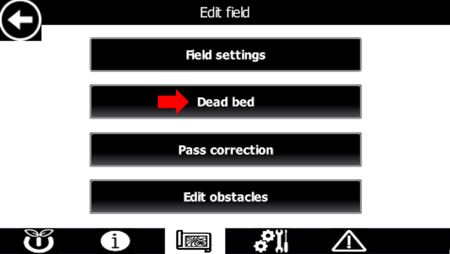
Enable Dead Beds
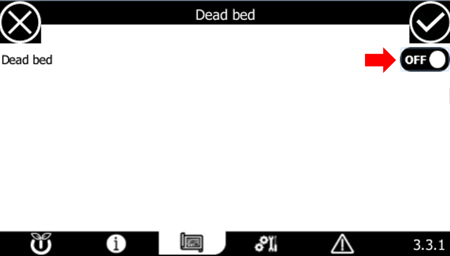
Dead Bed
Use this setting to enable or disable dead beds for the field.
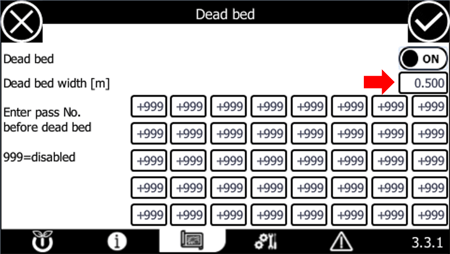
Define Dead Bed Width
Dead Bed Width (m)
Enter the width of each dead bed in meters.
Position Dead Beds
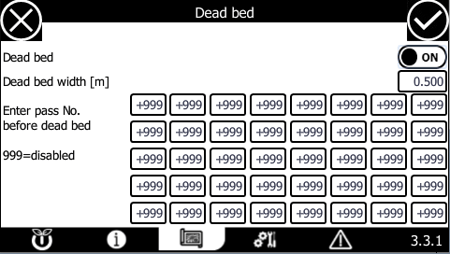
Enter Pass No. Before Dead Bed
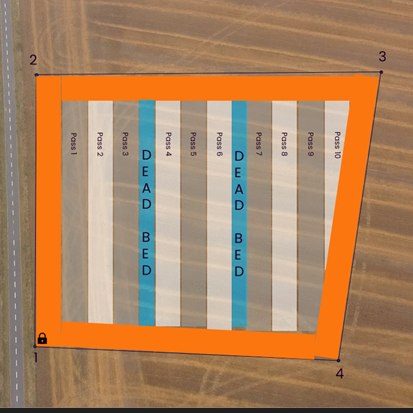
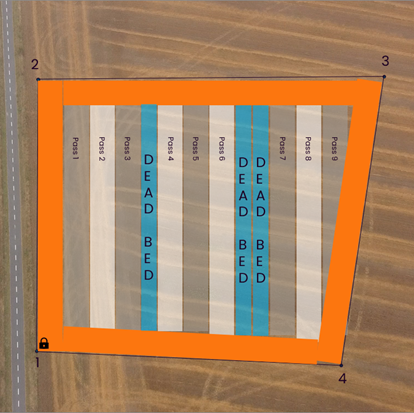
Specify where each dead bed should be placed by entering the pass number immediately before the dead bed location.
You can configure up to 40 dead beds per field.
To deactivate a dead bed
Enter: "999"
Example
|
If you enter: 3, 6 the robot creates:
|
If you enter: 3, 6, 6 the robot creates:
|
 |
 |