
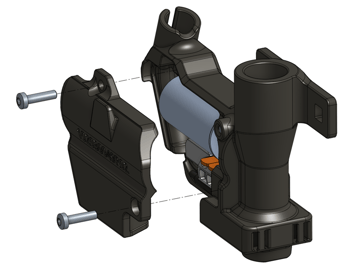
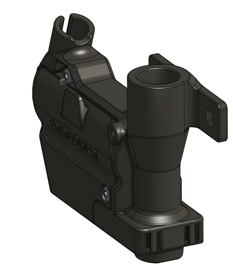
UPG19V2.0-2.5 is the assembly you need to upgrade your seed valve from GEN1.0 to GEN2.0.
See the image below for reference:
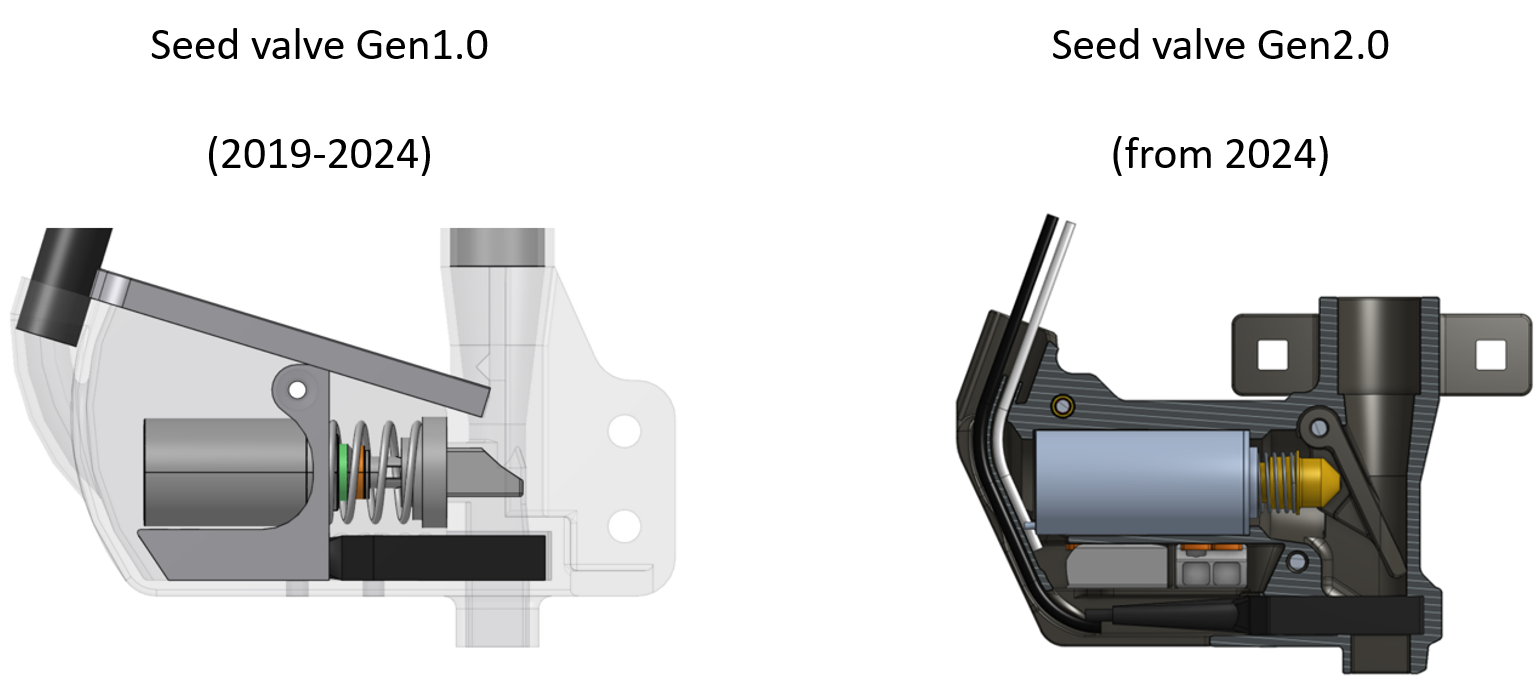
The tools you need for completing the task are:
- An 8mm socket wrench
- A medium-sized Phillips screwdriver
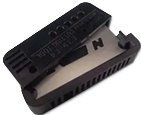
- An optic fiber cutter (p/n FU-CUTTER2)
RETROFITTING PROCEDURE
Throughout the procedure, handle the black optic fiber cables with care. Bending them sharply may cause the fibers to break, requiring the light sensor to be replaced.
STEP 1
Turn off the robot entirely by switching off both the main switch and the solar panels' switch.
STEP 2
Use an 8mm socket wrench to detach the old seed valve housing from the seed unit. Next, unscrew all 7 Phillips screws from the housing to access and remove the solenoid, and disconnect all electrical connectors.
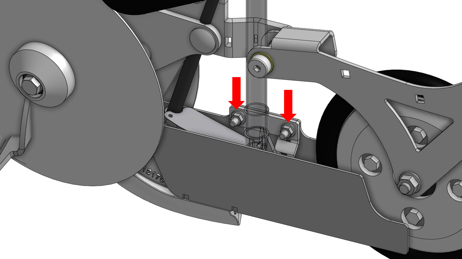
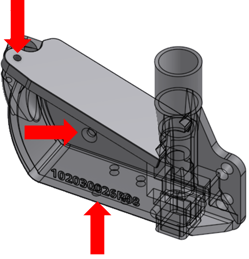
STEP 3
Loosen the 6 Phillips screws from the front section of the seed unit. Then pull out the front plate to access the PCB.
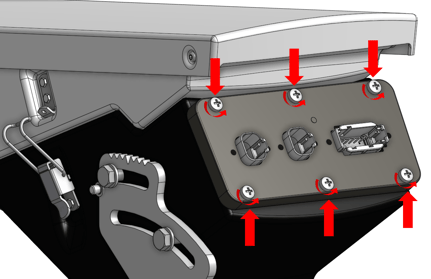
STEP 4
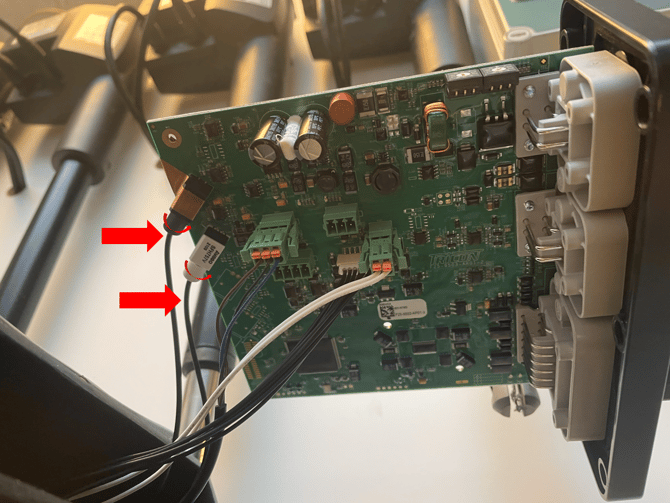
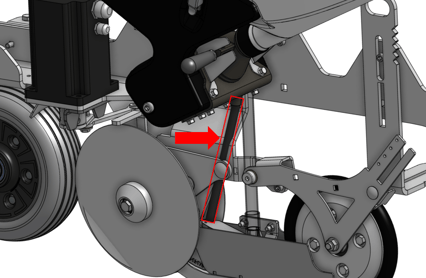
Detach the two optic fiber cables of the light sensor from the PCB by:
-
loosening the circular fastener from the PCB (first image, below)
-
CAREFULLY extract the cables from the black cover tube (second image, below)
STEP 5
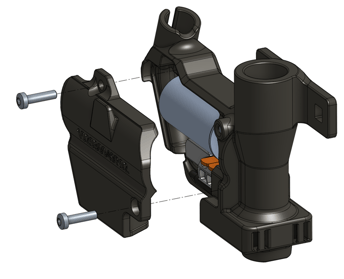
Unscrew the two TX10 bolts on the side of the new seed valve assembly to reach the components.
STEP 6
Find the white electrical connection wires originating from the main control box of the seeding unit. Guide them through the opening of the new seed valve assembly and ensure they are securely connected to the solenoid. Refer to the images below for guidance.
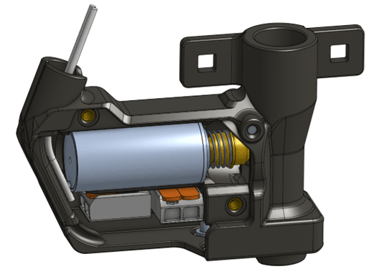
STEP 7
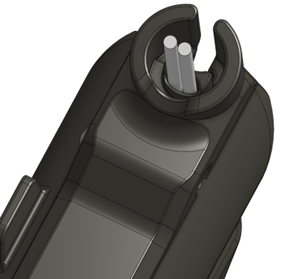
Slide the light sensor into the seed valve assembly towards the seed valve opening, as depicted in the images below.
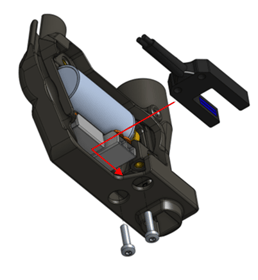
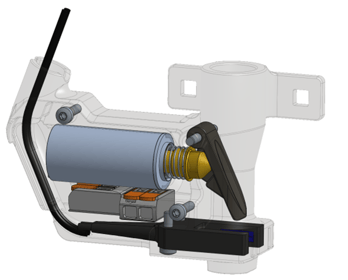
The optic fiber cables should be threaded individually through the rear raceway. Once both cables are positioned, the slot's design holds them securely.
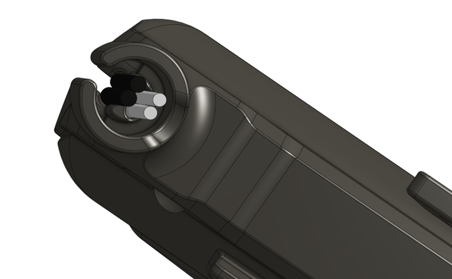
STEP 8
Once the light sensor is in place, seal the side opening of the seed valve.
STEP 9
Carefully thread the two light sensor cables through the black cable gland and into the seeding unit's control box.
Ensure the optic cables are fully inserted into the black and white sensors before securing them.
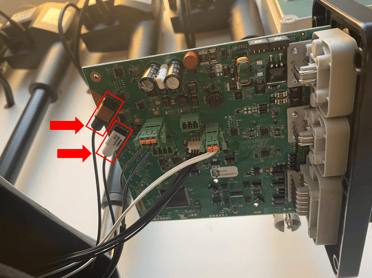
In case your robot detects a high level of "dust" when looking at the seeding error values in the HMI, the potential reasons are:
-
Optic cables are do not fully inserted in the sensors;
-
The tip of the optic fiber has not been clipped with the cutter before being inserted in the sensor;
-
The optic fiber has been broken due to mis-handling:
CAUTION 😊👇
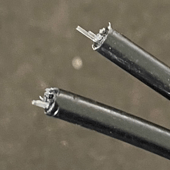
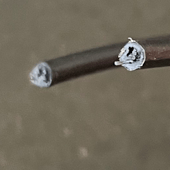
Before attaching the light sensor cables to the PCB, trim 1-2 mm from the optic fiber.
It is essential to use an optic fiber cutter for this task. Avoid using a safety knife or any non-specific blade, as they won't provide a clean cut, as illustrated in the images below.
To purchase an optic fiber cutter from FarmDroid, look for part FU-CUTTER2.
STEP 10
Reattach the seeding unit PCB by fastening the six Phillips screws (refer to step 3). Then, fix the seed valve assembly at the base of the seeding unit with the two 8mm nuts (refer to step 2).
STEP 11
Power up the robot and check the proper functioning of the seed valve through the MANUAL FUNCTION TEST.